
A good Forza Horizon 6 drift tune lets the rear tyres break traction on demand and keeps them at a steady slide angle while the front tyres still steer. In practice that means a rear-wheel-drive car with a locked or near-locked rear differential, less grip at the rear than the front, gearing that keeps the engine in its power band at slide speeds, and very little aero. The sections below give the direction to move each slider and the reason. Any numbers are starting points that depend on the car; tune by feel from there.
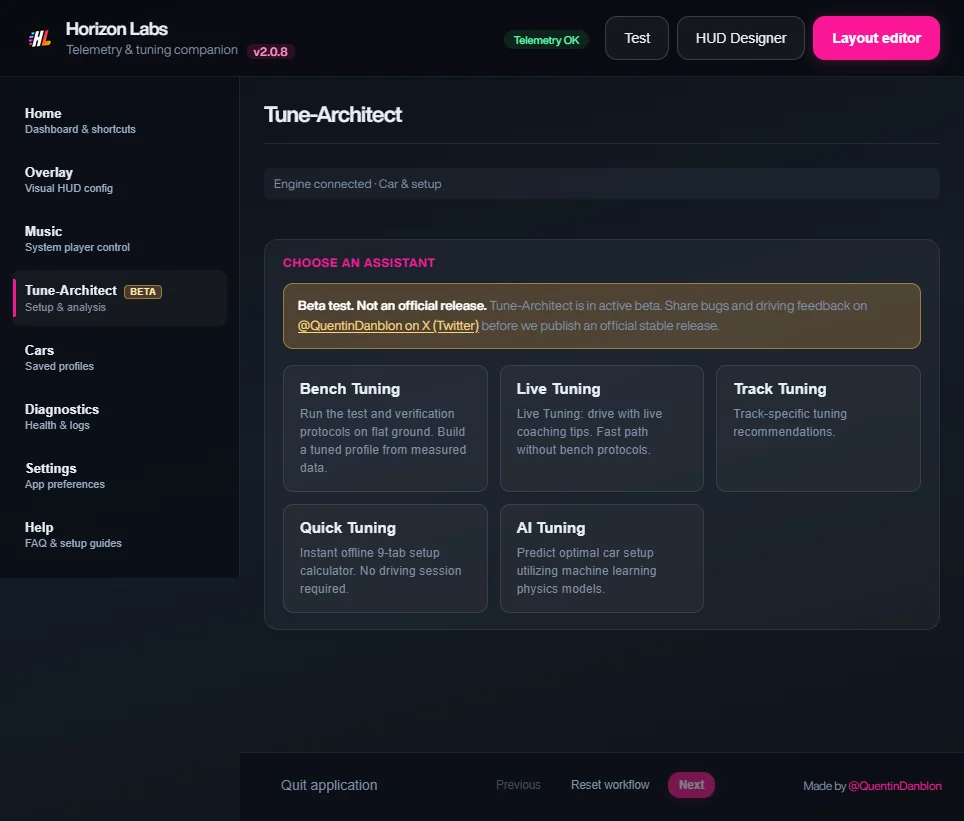
If you would rather start from a calculated baseline, choose the Drift goal in Tune Architect’s Quick Setup, enter the values in Forza yourself, then use this guide to refine.
Parts and upgrades that matter
- Rear-wheel drive. Convert the car if it is not RWD. A drift car needs power only at the rear.
- Torque and a wide, usable power band. Drifting is held with the throttle, so a strong mid-range matters more than a peak figure at the top.
- Race or drift differential. Without an adjustable differential, you cannot lock the rear axle, and the car will not hold an angle.
- Adjustable suspension and anti-roll bars, race gearbox. The sliders for springs, bars, alignment and gearing only appear once the matching part is installed.
- Tyre compound. Grippy tyres make it harder to break the rear loose; many drifters choose a compound with less rear grip and enough front grip to steer.
- Weight. Less weight helps transitions, but moving weight to the rear is not a priority.
Slider by slider
Tyres
Rear pressure up, to shrink the contact patch and make the rear easier to break loose; front pressure lower, for steering grip. Community guides generally describe lower pressure as more grip and higher pressure as sharper but slidier, so treat this as the direction, not a figure. If the rear will not break loose, raise its pressure a little; if the car spins at every angle change, lower it again in small steps.
Gearing
Shorten the final drive so that second and third gear sit in the power band at the speeds you drift, and avoid hitting the limiter mid-slide. Check that gear ratios are close enough that an upshift does not drop you out of the torque curve. A target top speed far below the car’s maximum is normal for a drift car.
Alignment
- Front camber: moderately negative, so the loaded outside front tyre keeps its footprint when the car is angled.
- Rear camber: near zero to slightly negative. More rear camber adds grip you are trying to remove.
- Front toe: slight toe-out for a fast, positive turn-in.
- Rear toe: near zero. Strong toe-in adds stability; strong toe-out makes the rear nervous.
- Caster: high caster helps the front wheels self-centre during counter-steer, which lets you hold an angle with light hands.
Anti-roll bars
Softer at the front, stiffer at the rear. Stiffening a bar transfers more load to that axle’s outside tyre and reduces its total grip, so a stiffer rear bar promotes oversteer. Too stiff and the rear snaps unpredictably; adjust in small steps.
Springs and ride height
Run the car low enough to be stable but with enough clearance not to bottom out on kerbs. A softer front lets the nose bite on turn-in and transfer weight onto the front tyres; a stiffer rear holds the car’s attitude. Match front and rear rates to the car’s weight distribution rather than copying another car’s numbers.
Damping
Medium to stiff overall. Damping controls how quickly weight moves during a transition. A softer front rebound makes the car dive and bite when you flick it; a stiffer rear rebound keeps the rear from rocking. If the car feels floaty between slides, add damping; if it skips over bumps, soften it.
Aero
Little or none. Downforce adds grip that rises with speed, and it makes the slide harder to hold as you slow. A small amount of front downforce can help steering at high speed; keep the rear low.
Brakes
Drifters use the handbrake, clutch kicks and throttle to initiate, and the brakes mainly to scrub speed and correct angle. A balance slightly more to the rear helps a brake-initiated slide; keep pressure moderate so you do not lock the fronts.
Differential
This is the heart of the tune. Set acceleration lock high, close to fully locked, so both rear wheels turn together under power. Deceleration lock can stay lower, or moderate, so the car does not snap when you lift. If the car turns in sharply but will not slide on exit, raise the acceleration lock; if it spins on throttle, lower it.
Common mistakes
- Chasing power first. A very powerful car on the wrong gearing or tyres spins instead of drifting.
- Too much rear grip. If you have to fight to start a slide, soften the rear bar or raise the rear tyre pressure before anything else.
- Too little front grip. If the car washes wide in a slide, lower the front pressure, add negative front camber, or soften the front bar.
- Heavy aero. Leaving a race wing on makes the slide die at lower speeds.
- Changing many sliders at once. Change one category, test the same corner, and then move on.
Use telemetry to tune
With Forza Horizon Data Out switched on (see the Data Out settings), Horizon Labs reads these fields, which you can show on the overlay or in a HUD you build in the Designer:
- Drift angle
- How far the car is pointing from where it travels. It shows whether you are holding a consistent angle. See drift angle on screen.
- Tyre slip, each wheel
- Rear slip should be high and steady; high front slip means the car is pushing instead of steering.
- Tyre temperature, each wheel
- Rear tyres that cook quickly point to too much pressure or too long in a slide; a big gap between left and right can show the car is being driven or set up unevenly.
- RPM and gear
- Shows whether you sit inside the power band during a slide or bounce off the limiter.
- Steering, throttle, handbrake
- Reveal how much correction each corner needs; large steering swings mean the tune is unstable.
These fields are listed in the FH6 telemetry fields reference. Run the same drift line a few times, note the numbers, change one slider, and run it again.
Where to go next
Once you have a setup you like, Tune Architect can test it on the Bench and coach you live. Horizon Labs only reads the data the game sends and never changes your car; you enter every value yourself.
Sources: Forza Horizon Hub FH6 tuning guide, Steam Community Forza Horizon 5 tuning guide. These are community guides, not official Playground Games documentation. Checked 2 November 2026.