
Report a bug
Tell us what went wrong. The diagnostics file and a screenshot let the bug be found without a back-and-forth.
Before you send
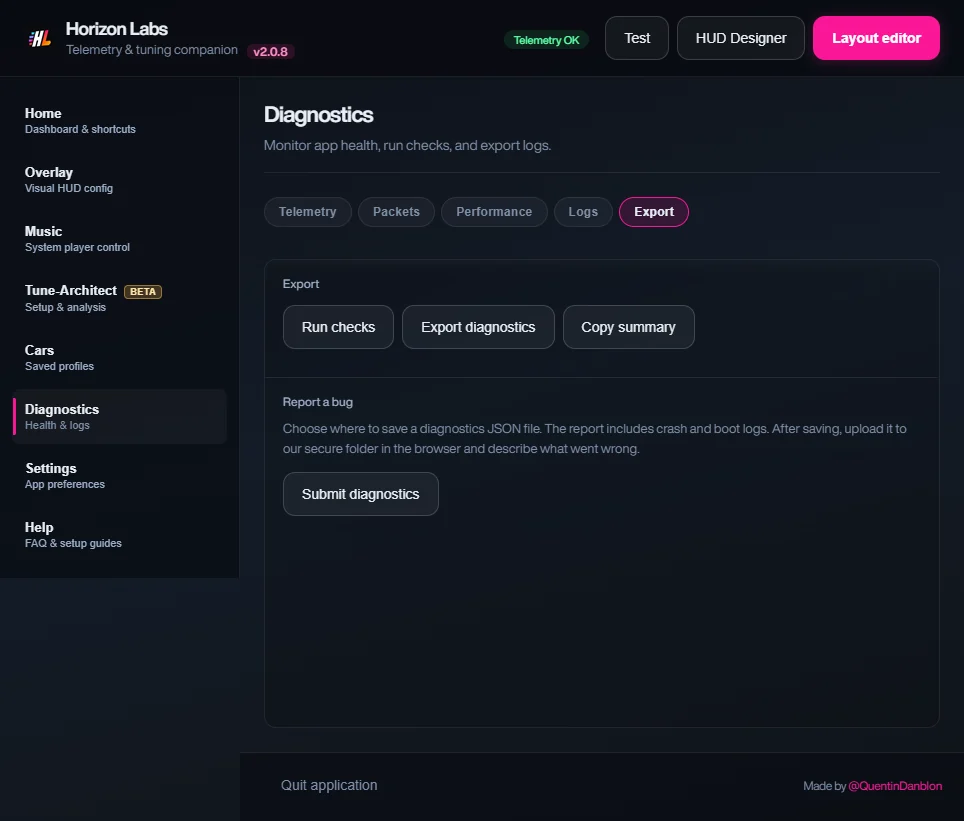
- Export the diagnostics in Horizon Labs: Diagnostics → Export → Export diagnostics. It saves a JSON file with the app’s health, crash and boot logs.
- Take a screenshot of the problem: the HUD, the error, or the settings page (Win + Shift + S).
- Horizon Labs won’t start? Attach
crash.logfrom%APPDATA%\fh6-radial-desktopinstead of the diagnostics file.
Telemetry not arriving? Check your game’s setup page and the FAQ first.
Your report
Horizon Labs 2.0 · Designer included
Get Horizon Labs from €4.99